Best TV and monitor for GTA 6, by budget
GTA 6 launches on PS5 and Xbox Series X|S on 19 November 2026. Here is what actually matters in a screen, and the TV or monitor we would buy at every budget.
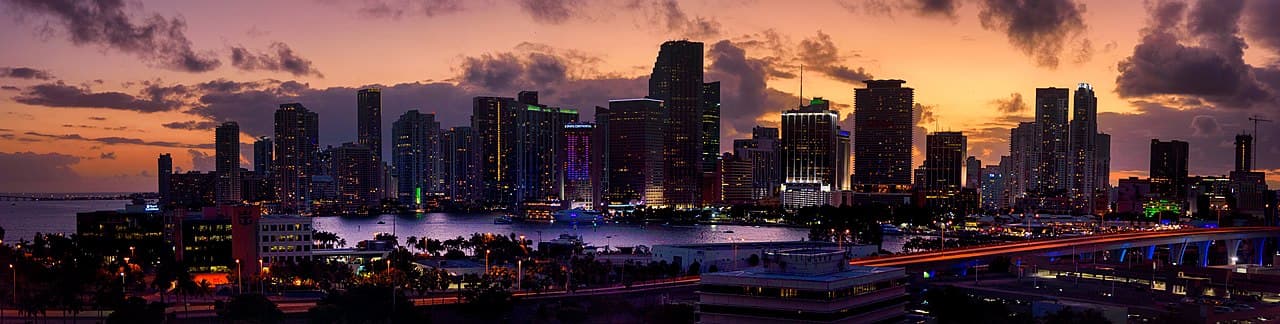
GTA 6 lands on 19 November 2026, on PS5 and Xbox Series X|S only. The console question is settled. The screen in front of it is the part most players never think about, and it is the one that decides whether Vice City at night looks like neon on black or like grey soup.
Here is what actually matters in a screen, and what we would buy at each budget. Prices were checked on 1 September 2026 and they move constantly, so read them as brackets, not as quotes.
The essentials
- No PC version has been announced. Everything below assumes a PS5, PS5 Pro or Xbox Series X|S.
- Four specs matter: 4K, an HDMI 2.1 port, VRR and ALLM, and input lag under 15 ms in Game Mode.
- 120 Hz is a bonus, not a requirement. Expect the usual pair of modes: fidelity around 30 fps, performance around 60 fps.
- Under 500, buy brightness and low lag. Over 1000, buy contrast, which means OLED.
- If you already own a 4K TV from the last five years with a working Game Mode, you do not need to buy anything.
What the spec sheet actually means
| Spec | What it does for GTA 6 | What to look for |
|---|---|---|
| HDMI 2.1 (48 Gbps) | Carries 4K at 120 Hz from the console | Two full-bandwidth ports, because a soundbar eats one |
| VRR | Smooths the frame dips a dense open world guarantees | Any implementation, HDMI Forum VRR or FreeSync |
| ALLM | Switches the screen to Game Mode by itself | Saves you a menu trip on every session |
| Input lag | The delay between your stick and the car | Under 15 ms in Game Mode |
| Peak brightness | Vice City neon, sunsets, headlights at night | 600 nits and up for HDR that reads as HDR |
| Panel | Mini LED is bright, OLED is contrasty | Either, see the note below |
On OLED and the GTA HUD. GTA keeps a minimap in the same corner for hundreds of hours. Modern OLEDs shift pixels and dim static logos, and panel warranties now cover burn-in for several years, but it remains the one real risk. If the same screen also runs a news channel all day, take Mini LED instead.
Under 500: the value pick
- Europe: Hisense 55U7Q. 55 inches, Mini LED, 144 Hz Game Mode Pro, HDMI 2.1. Around 449 euros.
- United States: TCL 50QM6K. 50 inches, QD-Mini LED, 144 Hz native panel. Around 400 dollars.
This is the tier where each euro buys the most picture. Both sets give you the things that decide how GTA 6 looks (real local dimming, HDMI 2.1, VRR, a low-lag game mode) and skip the things that do not.
500 to 900: the sweet spot
- Europe: TCL 55C6K. 55 inches, QD-Mini LED, 144 Hz, four HDMI 2.1 ports. Around 519 euros.
- United States: Hisense 55U75QG (U7 series). 165 Hz, Mini LED, up to 3000 nits.
What the extra money buys is brightness and dimming zones, which is exactly what a night-time open world asks for. Four HDMI 2.1 ports also means a console, a second console and a soundbar can live together without a switcher.
Over 1000: OLED
- LG C5, 55 inches (OLED55C5 in Europe, OLED55C5PUA in the US). Around 1049 euros in France.
Four HDMI 2.1 ports, up to 144 Hz, and per-pixel black. A Mini LED set lights a neon sign by lighting the whole zone around it; an OLED lights the sign only. For a game built on wet asphalt at night, that is the single biggest visible upgrade left.
Playing at a desk instead
Around 200 to 250: 27 inch QHD, 180 Hz
- Europe: LG UltraGear 27GS85Q-B, around 239 euros.
- United States: LG UltraGear 27GS75Q-B.
The caveat is resolution. These are 1440p panels: the Xbox Series X drives 1440p at 120 Hz natively, the PS5 supports 1440p output but not in every situation, and neither will give you the HDR punch of a good TV. What you get instead is a sharp, fast, cheap screen at desk distance.
Around 900 to 1100: 32 inch 4K OLED, 240 Hz
- Alienware AW3225QF, 32 inches, 4K QD-OLED, 240 Hz, HDMI 2.1. Around 855 euros in France.
This is the one case where a monitor beats a TV for console play: real 4K at 120 Hz, OLED contrast, and input lag a TV cannot match, at a distance where 32 inches fills your vision.
The cable question
Both consoles ship with a certified Ultra High Speed cable, so you do not need to buy one. The exceptions are routing through a soundbar or an AV receiver, and any run longer than two metres. If that is you, buy a certified 48 Gbps cable and nothing fancier: around 18 euros in Europe, under 10 dollars in the US.
Day one settings checklist
- Plug the console into an HDMI 2.1 port. On most TVs only two of the four are full bandwidth, often labelled 4K120.
- Turn that port's enhanced format on. LG calls it HDMI Deep Colour, Samsung calls it Input Signal Plus, Sony calls it Enhanced format. Without it the port stays at HDMI 2.0 speed and you silently lose 120 Hz.
- Enable Game Mode or ALLM, and VRR.
- On PS5: Settings, Screen and Video, then turn on 120 Hz Output and VRR. On Xbox: Settings, General, TV and display options, then 4K TV details to check what the TV actually reports.
- Run the console's HDR calibration, then GTA 6's own brightness screen when it asks for it.
So do you need to upgrade?
Honest answer: no, not if you already own a 4K TV with a proper Game Mode. The cheapest upgrade available to you is the checklist above, and most players have never run it. Buy a new screen if yours is 1080p, if its input lag makes aiming feel underwater, or if it has no HDMI 2.1 port and you own a Series X or a PS5 Pro.
While you are here: compare the machines on our console page, check where to preorder GTA 6, or read the latest news.
The product links above are affiliate links. If you buy through them, 6cheats may earn a commission at no extra cost to you. It never changes what we recommend.
Comments (0)
No comments yet. Be the first!