GTA 6: How to Switch Between Jason and Lucia (and When You Can)
Hold D-pad Right and press R1 or RB to change character in GTA 6. Here is when switching unlocks, why your partner gets greyed out and what changes when you swap.
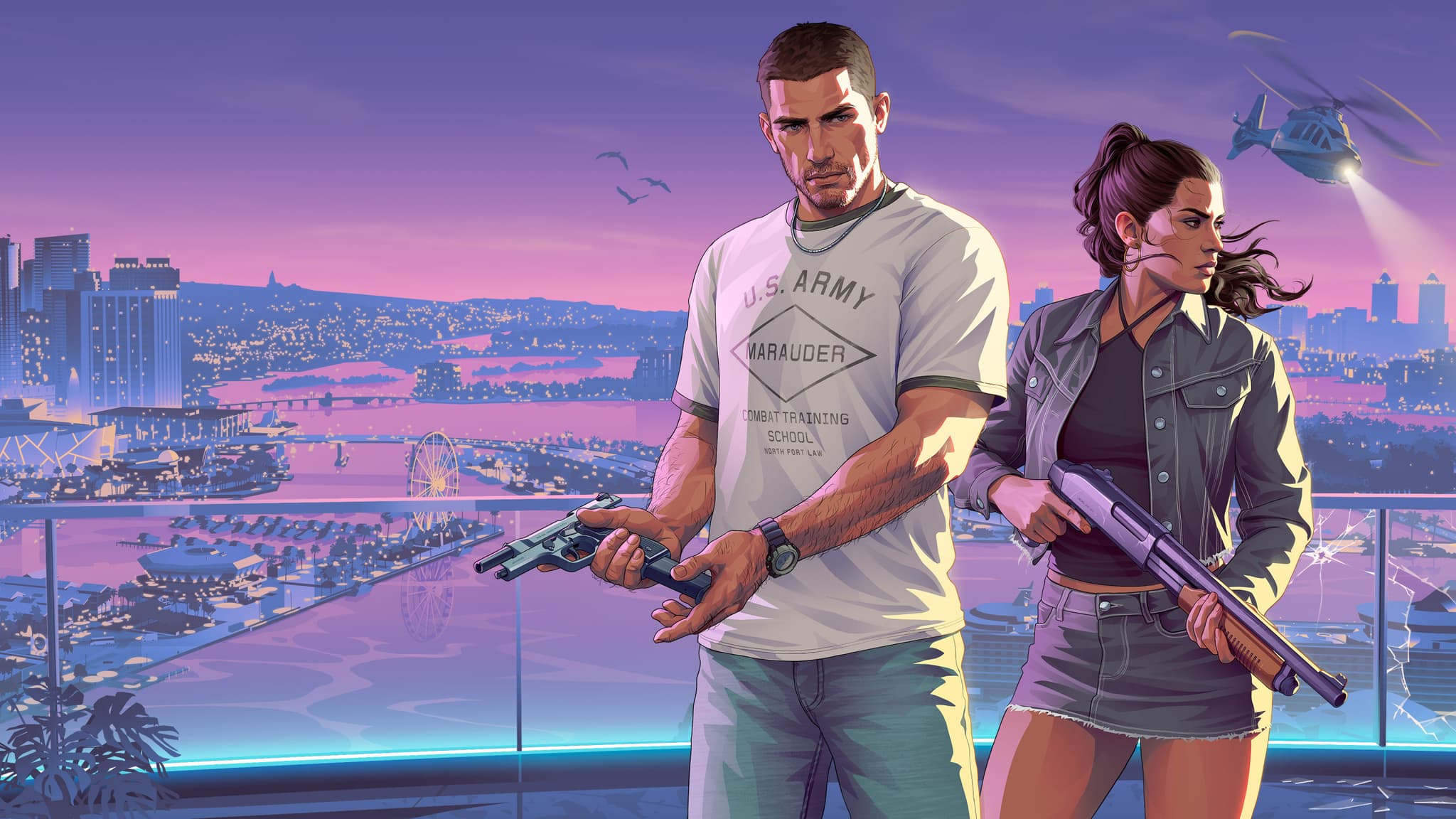
If you are wondering how to change character in GTA 6, the short answer is: hold right on the D-pad, then press R1 on PS5 or RB on Xbox Series X|S. That opens the partner menu and hands control from Jason to Lucia, or back again. The catch is timing. Free switching is not available when you first start the game, and even once it unlocks, the game will sometimes grey out your partner's portrait. This guide covers the exact input, when the option opens up, why it can be blocked, and what actually changes when you swap.
Everything below is gameplay only. There are no story spoilers here beyond what Rockstar showed in its trailers, and no mission names past the opening. If you want the setup of the plot itself, our spoiler-free GTA 6 story overview is the place to start.
The switch command on PS5 and Xbox
Every guide published since launch that we checked agrees on the same input: GamesRadar, Gfinity, LibertyCity, Dork and Krinein all describe it the same way.
| Action | PS5 | Xbox Series X|S |
|---|---|---|
| Open the partner menu | Hold D-pad Right | Hold D-pad Right |
| Switch to the other character | Hold D-pad Right + R1 | Hold D-pad Right + RB |
| Ask your partner to meet up | Hold D-pad Right + Triangle | Hold D-pad Right + Y |
A few things to know about the input itself:
- You hold, you do not tap. A quick tap of the D-pad does nothing useful. Keep it held until the partner menu with both portraits appears, then press the shoulder button.
- The same input works both ways. There is no separate command for "go to Lucia" and "go to Jason". Whoever you are not controlling is the one you switch to.
- A short transition plays. Gfinity notes that each switch triggers a brief transition shot before you take control of the other character, wherever they happen to be on the map.
One outlier is worth flagging. GameSpot's guide lists L1 / LB instead of R1 / RB as the switch button. Every other source we read points to R1 / RB, so that is what we recommend. If your controls have been remapped, go by the button prompt shown on the partner menu rather than the default. Our guide to the GTA 6 default controls explains the rest of the standard layout.
When does character switching unlock?
Not at the start. The opening hours of GTA 6 keep you on one protagonist at a time and move you between them through the story itself. Lucia does appear in early story missions, but you cannot pick her in free roam yet, and the moment the map opens up for exploration is not the moment switching opens up.
According to Video Games Chronicle, Gfinity, LibertyCity and Krinein, free switching unlocks in Chapter 2, once both characters are available in the open world. LibertyCity and Krinein place it early in that chapter; Gfinity describes it as the later stages of Chapter 2. In practice you do not need to hunt for it: the game shows an on-screen prompt telling you to open the partner menu the first time it becomes available. VGC sums it up the same way: you will know when you can swap.
GameSpot is again the outlier, putting the unlock at roughly 30 percent of the main story. The majority of guides tie it to Chapter 2, so if you are still in Chapter 1, the option is simply not there yet. Keep playing the main missions and it will come.
Why your partner's portrait is greyed out
Once switching is unlocked, it works in free roam most of the time. When it does not, the partner menu shows the other character's portrait darkened or greyed out. The guides list the same handful of causes:
- You are on a mission. Some main and side missions belong to one character only, and switching stays off until the mission ends. On the map, missions marked with a J or an L must be started by Jason or Lucia respectively, and solo. If you want to start an L mission while playing Jason, switch first, then drive to the marker.
- You are at home. LibertyCity and Krinein both report that switching is blocked inside your home. Step outside and open the partner menu again.
- Your partner is busy. When you are not controlling a character, they carry on with their own routine. Gfinity lists driving, exercising, shopping, sleeping, watching TV or showering. VGC adds that after a swap, the character you left may call a RydeMe and leave the area, which can briefly grey out the menu. Wait a minute or two and try again.
- A cutscene or scripted sequence is running. Switching is unavailable during cutscenes and certain scripted moments, just like in GTA 5.
Being wanted by the police is not listed by any of these guides as a blocker. Switching away is not a clean escape from the police, though.
What changes when you switch
Switching hands you a different person in a different place, not a reskin of the same one. Here is what is consistent across the sources:
- Location. You take over the other character wherever they currently are, doing whatever they were doing. If they were driving across the map, you land in that car.
- Mission access. The J and L markers mean each character has missions only they can start. Switching is how you reach the other half of the map's content.
- Appearance. Jason and Lucia each have their own clothes, hairstyles and tattoos, managed separately. Changing an outfit on one does not affect the other. Our GTA 6 character customization guide goes through what each one can change.
- The partner you left behind. They do not freeze. They go back to their own routine, and may leave the area by RydeMe.
Some details are reported by a single source so far, so treat them as unconfirmed:
- One guide on dual-protagonist money describes a shared savings account alongside each character's personal cash. We have not seen a second post-launch source describe it the same way.
- Some guides claim each protagonist trains stats separately, so time at the gym as Jason would not carry over to Lucia. That also rests on a single source for now.
We will update this section as more guides confirm or contradict these points.
Playing as a duo instead of switching
Switching is only half of the system. Very often you will not want to swap at all, but to bring the other character along. The same partner menu handles that:
- Meet up. Hold D-pad Right and press Triangle / Y. LibertyCity and Krinein both describe this: you keep the character you are controlling, and your partner travels to you. Krinein adds that on PS5 you can also invite them from the map by hovering over an activity.
- Let your partner drive. According to Dork, if you get in the passenger seat and set a waypoint, your partner drives you there, and holding D-pad Right again lets you ask them to speed up or slow down.
- Split up. Dork also describes a split-up option that leaves you solo with your current character. Some missions restrict it.
- Robberies. Dork reports that before a robbery you can ask your partner to wait in the car or come in as backup, and that each character carries their own stash bags, which you can throw to each other. These robbery details come from one guide so far.
Dork also notes that checking in with your partner over the in-game messaging app is part of how their relationship evolves. If that side of the game interests you, our breakdown of the Jason and Lucia relationship mechanic explains how it works.
Is it like GTA 5's three-character switch?
Partly. The core idea is the same: playable characters living their own lives in the open world, and a menu that drops you into the other one's day. The big differences are the number (two, not three), the way GTA 6 leans on the duo actually playing together, and the J and L mission markers that make the split explicit on the map. We compared the two systems before launch in our earlier piece on GTA 6 character switching; now that the game is out, the answer is clear: yes, you can switch freely, once Chapter 2 opens it up.
Quick troubleshooting checklist
If the switch does not work, run through this in order:
- Are you past Chapter 1? If not, the option does not exist yet.
- Are you holding D-pad Right, not tapping it?
- Are you pressing R1 / RB (or the button shown in the menu if you remapped)?
- Is the other portrait greyed out? Leave your home, finish or quit the current mission, or wait a minute for your partner to finish what they are doing.
- Is there a J or L marker you are trying to start? Switch to the matching character first.
That covers it. Switching characters in GTA 6 comes down to one input and a bit of patience, and once it is unlocked it becomes one of the best ways to move around Leonida.
Sources: GamesRadar, Video Games Chronicle, GameSpot, Gfinity, LibertyCity, Dork and Krinein, guides published after the game's release on 18 and 19 November 2026.
Comments (0)
No comments yet. Be the first!