GTA 6 Auto-Aim Is Gone: Aim Assist, Recoil and Every Combat Change Reported So Far
Reports from a Rockstar North preview event say GTA 6 drops the old auto-aim for free aim with light aim assist. Here is what is reported, what is still unconfirmed, and how it compares to GTA 5.
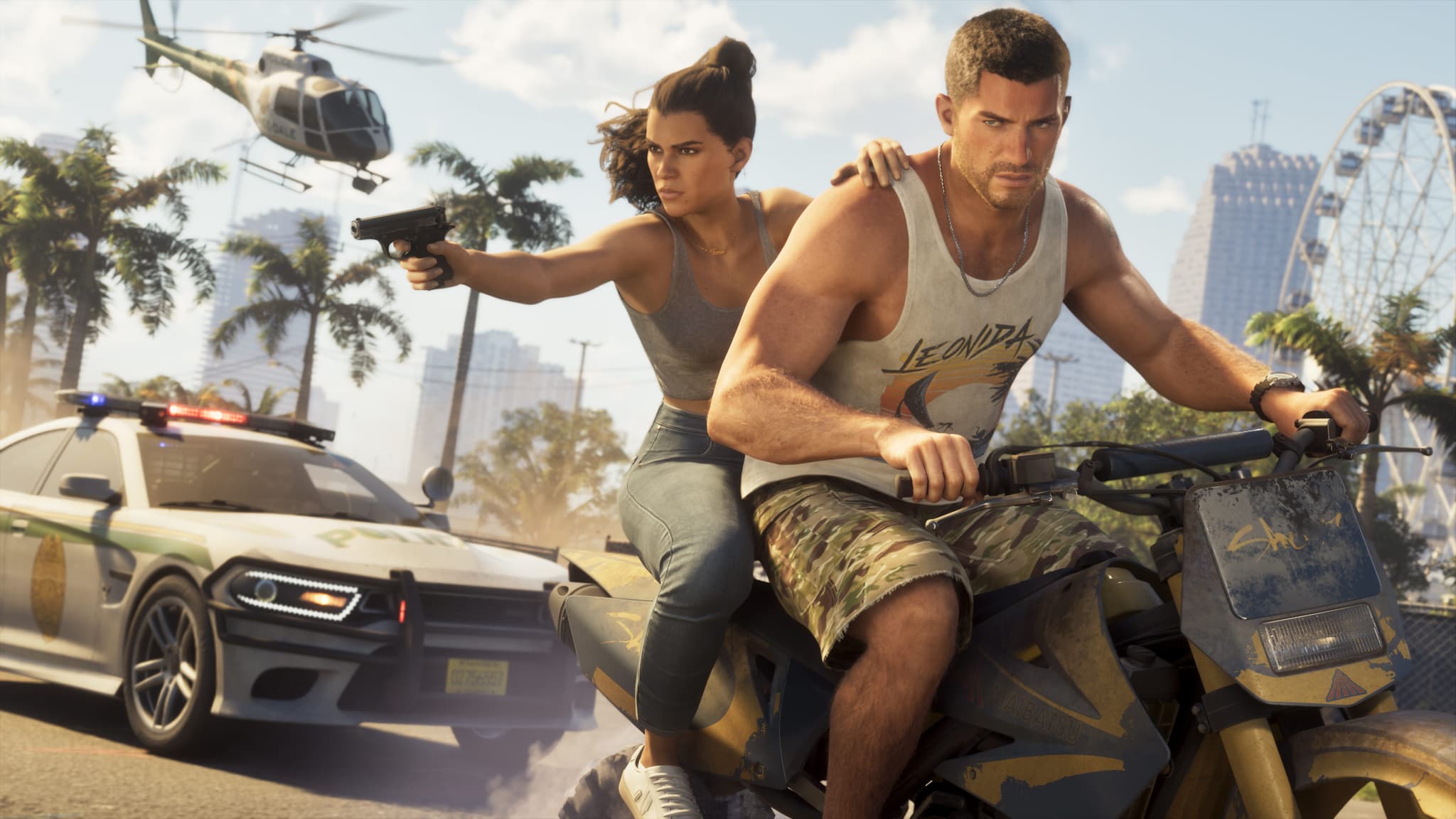
GTA 5 players know the routine: tap the aim button, the crosshair snaps onto the nearest enemy, and you pull the trigger. According to reports that followed a preview event at Rockstar North, GTA 6 is moving away from that. The headline detail is simple: the old auto-aim system is reportedly gone, replaced by manual aiming with a lighter form of aim assist.
A quick note on sourcing before we go further. Rockstar has not published a combat breakdown of its own. What we have comes from attendees of the preview event and from a content creator who saw early gameplay, relayed by gaming outlets. Treat everything below as "reported", not as an official specification, and expect details to shift before launch. Everything about GTA 6 gameplay is still something we are describing from the outside, so we flag what is firmly reported and what is a guess.
What is reported: auto-aim is off, free aim is the default
The most repeated claim is that GTA 6 does away with the classic auto-aim and uses a manual aiming system with aim assist instead. One creator who saw early footage summed it up as "no auto aim anymore, more aim assist-y". Follow-up coverage of the Rockstar North event adds that auto-aim is off by default and that free aim is front and center.
In practice, that points to a model closer to modern shooters than to the lock-on feel of GTA 5 and the older Red Dead games:
- You aim the crosshair yourself instead of snapping between targets.
- Controllers still get a small amount of help, reportedly with some stickiness around the head area.
- The crosshair does not hop automatically from one enemy to the next.
If you mostly played GTA 5 on a controller with the default lock-on, expect an adjustment period. If you played on mouse and keyboard, or already used free aim in Online, this will feel familiar.
Aim stickiness and settings
Reports say aim stickiness and free-aim behavior can be tuned in the options menu. That matters because it makes the change less brutal for players who struggled with manual aiming. A softer setting should let a controller player keep some assistance, while a stricter one rewards precision.
What is not confirmed is whether a full lock-on mode can be switched back on, or how many sliders the menu will expose. Some summaries say the status of a full lock-on option is simply unknown. Until Rockstar shows the options screen, do not assume you can recreate GTA 5's exact feel. If you are choosing hardware for this, our guide to the best controller for GTA 6 explains why the pad matters less than you might think when the aim system is this configurable.
Recoil and weapon feel
Attendees describe firearms with noticeably more recoil, kickback and physical impact than in GTA 5. The practical reading:
- Sustained full-auto fire should be harder to keep on target.
- Controlled bursts with an assault rifle should be more effective than holding the trigger.
- Combat is described as slower and more deliberate than GTA 5.
That fits with the other systems Rockstar has shown. If you want the bigger picture of how loadouts will work, read our explainer on the limited weapon wheel and inventory. Quick weapon swapping is reported to return, and the two protagonists can reportedly hand weapons to each other physically, which is a new twist on the co-op dynamic of the story. For more on how the duo may work together, see character switching between Jason and Lucia.
Focus mode is not an aimbot
A common worry is that the new Focus ability replaces skill. Based on the reports, it does not. Focus slows time and can highlight weak points, in the same spirit as Dead Eye in Red Dead Redemption 2, but you still line up and fire every shot yourself. It is a tool for tense moments, not an automatic kill button. We cover it in depth in GTA 6 Focus ability explained.
Two related details were also mentioned: kill cams in the style of Red Dead 2 and Max Payne, reportedly toggleable, and enemies appearing on the minimap only while Focus is active. The exact rules of the bullet-time system have not been explained in detail, so how long it lasts and how it recharges remain open questions.
NPC and police reactions to weapons
One of the more interesting changes is not about shooting at all. Reports say NPCs react to what they can see:
- A long gun slung on your back usually draws no reaction.
- Openly holding a gun makes pedestrians move away.
- Pointing a weapon at someone may make them flee or trigger a police response.
- Police reportedly escalate based on what they see, with visible guns leading to warnings first.
That is a meaningful shift from GTA 5, where pulling out a weapon in public was often ignored until you fired. It suggests that how you carry and show your weapons becomes part of how you play, especially when you want to avoid attention. Details such as how fast the escalation happens, and whether it differs between districts, are not confirmed.
Movement and melee changes
The same coverage lists several control changes that affect how combat flows:
- Sprinting moves from repeatedly tapping a button to pressing L3.
- Walking and jogging speeds are configurable, with customizable defaults.
- You can switch shoulders for camera positioning.
- Cover is mapped to R1, with crouching and strafing available.
- Prone movement is reportedly absent.
- Melee gets blocking and timed parries, shown in preview footage.
Some of these points were relayed secondhand, so the specific button mapping could still change. The direction is clear, though: more control, more options, and fewer automatic systems doing the work for you.
How this compares with GTA 5
| Area | GTA 5 | GTA 6 (reported) |
|---|---|---|
| Default aiming | Auto-aim lock-on on console | Free aim, auto-aim off |
| Aim help | Strong lock-on | Light aim assist, adjustable stickiness |
| Recoil | Mild | Heavier, rewards bursts |
| Weapon visibility | Mostly ignored until you shoot | NPCs and police react to visible guns |
| Special ability | Per-character abilities | Focus slows time, you still aim |
What to do before launch
You cannot test any of this yet, but you can prepare:
- If you play GTA 5 on console, switch to free aim now and practice. It is the closest thing to what is reported.
- Practice short bursts instead of holding the trigger on automatic weapons.
- Think about your stick sensitivity and dead zone settings, since you will likely tune aim stickiness too.
- Keep an eye on our dual-wield explainer to see how weapon handling may evolve further.
What is still unknown
- Whether a full lock-on or classic auto-aim can be re-enabled.
- How strong the default aim assist is on each platform.
- How the weapon customization and the Focus mechanic interact with recoil.
- Whether PC players get different aiming defaults.
Rockstar will almost certainly reveal more as launch approaches. We will update this guide when official information appears. Until then, the safest summary is this: GTA 6 reportedly asks you to aim for yourself, with a little help, and rewards patience over spraying bullets.
Comments (0)
No comments yet. Be the first!