GTA 6 Radio: How to Change Station, Turn It Off and Listen on Foot
Hold Left on the D-pad to open the GTA 6 radio wheel, pick a station with L1/R1 or LB/RB, and press X or A to switch it off. On foot, you need headphones or earbuds first.
The GTA 6 radio works from one button: hold Left on the D-pad in any vehicle to open the radio wheel, scroll with L1/R1 on PS5 or LB/RB on Xbox (or the right stick), then let go of the D-pad to tune in. Press X on PS5 or A on Xbox inside that wheel to switch the radio off. To keep the music going once you step out, you need a pair of headphones or earbuds, bought in an electronics shop and equipped from your loadout.
How to change the radio station in GTA 6
The same wheel works in cars, motorbikes, boats and aircraft, and on the radios in safehouses and around Leonida.
- Hold Left on the D-pad. The radio wheel opens and the game slows down while you choose. A quick tap does something else: games.gg notes it flicks the left indicator on.
- Scroll through the stations with L1 and R1 (PS5) or LB and RB (Xbox), or point the right stick at the one you want.
- Release the D-pad. The station you stopped on starts playing.
| Action | PS5 | Xbox Series X|S |
|---|---|---|
| Open the radio wheel | Hold D-pad Left | Hold D-pad Left |
| Next or previous station | L1 / R1 | LB / RB |
| Pick a station directly | Right stick | Right stick |
| Turn the radio off or on | X | A |
| Browse podcast episodes | Square | X |
If you play with the Classic control scheme from our GTA 5 layout guide, check its preview screen: that scheme changes how several D-pad menus open. For the full list of stations and hosts, see our guide to the GTA 6 radio stations.
How to turn off the radio
Hold Left on the D-pad and press X (PS5) or A (Xbox) while the wheel is open: the radio goes silent until you pick a station again (GamesRadar+, Beebom). The same press turns it back on.
Stop the radio starting in every car
Beebom points to Settings > Audio > Vehicle Radio. Set it to Off and the radio no longer starts on its own when you get in a vehicle; you can still switch it on by hand from the wheel. While you are in the Audio tab, our best settings to change first cover the dialogue and music volume balance.
No music at all?
If stations play talk and ads but never songs, look for the licensed music option in the audio settings: games.gg notes that the soundtrack can be switched off there.
How to listen to podcasts (On Demand)
GTA 6 is the first game in the series with on-demand podcasts, confirmed on Rockstar's GTA VI music page. They sit in the same wheel:
- Hold Left on the D-pad.
- Push the right stick down to reach On Demand.
- Press Square (PS5) or X (Xbox) to browse a show's episodes, then X or A to play one.
GamesRadar+ adds that pausing a podcast from this menu keeps your place, and playback picks up where you stopped whether you come back on foot or in a car.
How to listen to the radio on foot
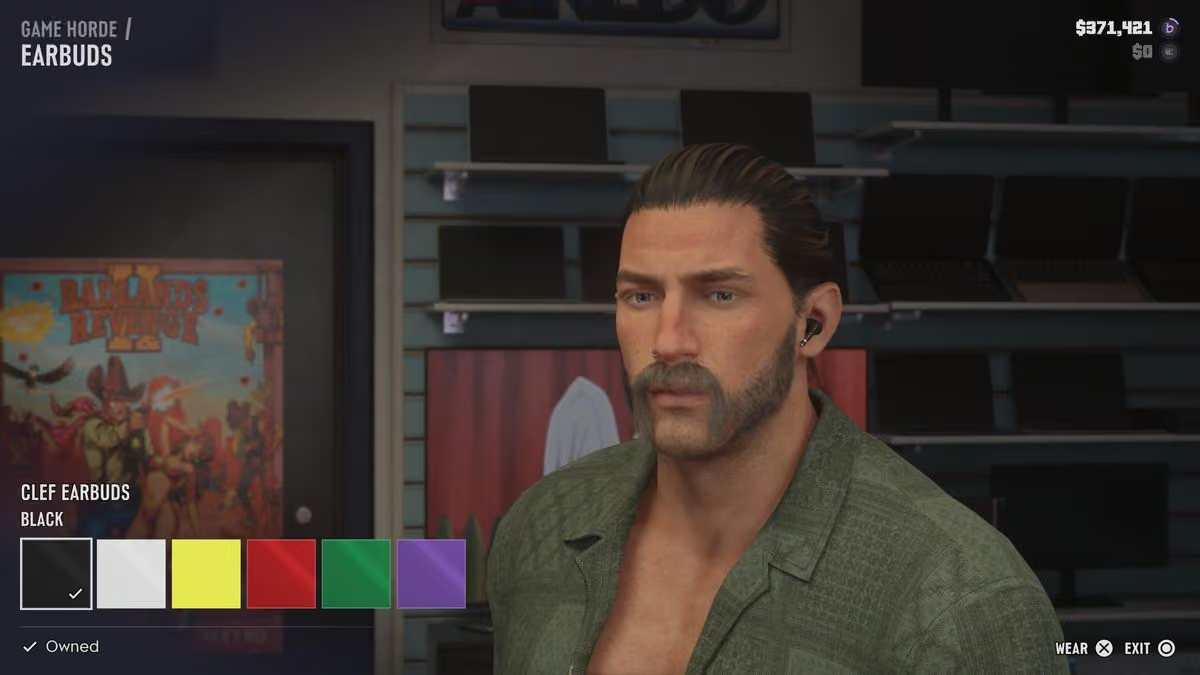
Rockstar confirms that Jason and Lucia can connect their phones to headphones or earbuds to keep radio and podcasts playing outside a vehicle. Without them, the music stops the moment you get out.
Where to buy headphones
Headphones and earbuds are sold in electronics shops. The quickest way to find one, according to GamesRadar+, is the Index app: open the Style tab and choose Electronics, which lists every shop that sells them, nearest first. games.gg's headphones guide sends players to Simply Sound in Vice City, marked by a headphone icon on the map. Prices change with the model and the colour. GamesRadar+ also says Jason and Lucia each need their own pair.
How to equip them
Open the loadout with L1 or LB, press R1 or RB to reach the Items tab, move the right stick to the headgear slot and press X or A. That is the same tab where your mask sits. Once they are on, hold Left on the D-pad as usual: the radio wheel and On Demand work while you walk.
If your headphones disappear
A fight can knock them off. GamesRadar+ warns that headphones dropped during a brawl or a police chase stay on the ground, and are gone for good if you leave without picking them up.
FAQ
Can you listen to the radio on foot in GTA 6 without headphones?
No. Out of a vehicle, the radio only plays through headphones or earbuds you own and wear. Radios in safehouses and around the map still work like a car radio.
Why does the radio keep turning on when I get in a car?
The Vehicle Radio option in the Audio settings is set to On. Switch it to Off and the radio stays silent until you choose a station.
Do Jason and Lucia share the same headphones?
No. Each character buys and equips their own pair.
How do I go back to the last podcast episode I was playing?
Open the radio wheel, push the right stick down to On Demand and pick the show again. A podcast you paused from that menu resumes where you left it.
Sources
Comments (0)
No comments yet. Be the first!